An evaluation app for LLMs and decision models

Put one question to four models. Keep the answer you trust.

Bench is a native macOS app for evaluating LLMs and decision models. Compare their answers side by side, run batches, mark what is right, and turn it into the dataset you need to fine-tune.

Free · v1.0 · 2.8 MB · macOS 14+ · Apple Silicon & Intel

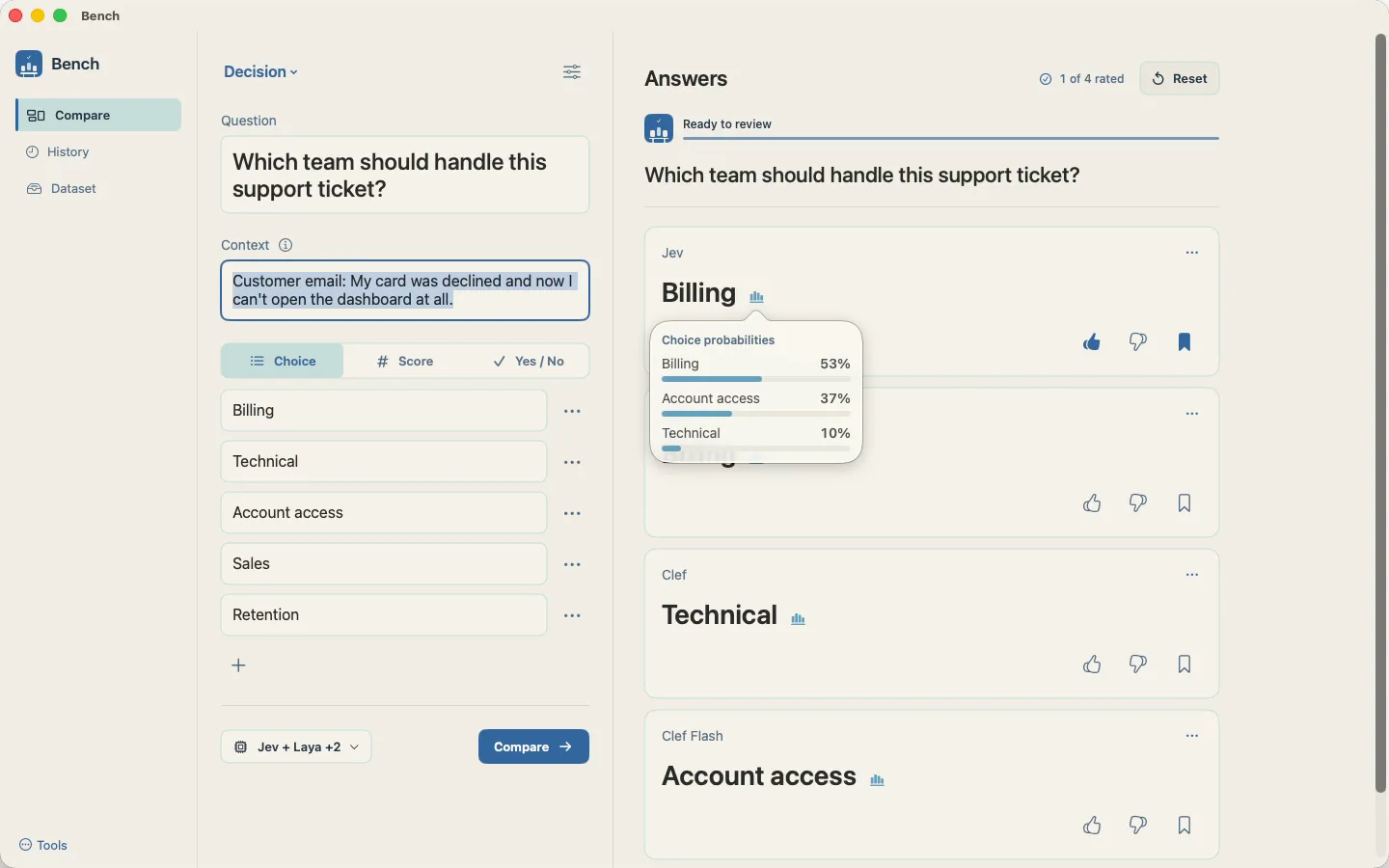
Bench comparing four decision models on one support ticket, with Jev's choice probabilities open

Why Bench

Decision models are zero-shot, and zero-shot rarely works as well as a classifier that has been fine-tuned. Fine-tuning needs a good dataset. Building one is the tedious part, so I built the bench to do it on.

Compare

Compare LLM outputs side by side

Ask once, and every model you picked answers the same question with the same context. Here is the support ticket from the app: four decision models, three different answers.

Open any answer to read its choice probabilities. Jev picks Billing, but at only 53%, which is exactly the kind of doubt you want to see before you trust a model. Then you make the call.

1 of 4 rated

Which team should handle this support ticket?

Customer email: My card was declined and now I can’t open the dashboard at all.

  1. JevApproved

    Billing

    • Billing53%
    • Account access37%
    • Technical10%
  2. Laya

    Billing

    • Billing42%
    • Technical35%
    • Sales9%
  3. Clef

    Technical

    • Technical67%
    • Account access21%
    • Billing10%
  4. Clef Flash

    Account access

    • Account access67%
    • Technical25%
    • Billing4%

Decision models

Evaluate decision models on your own options

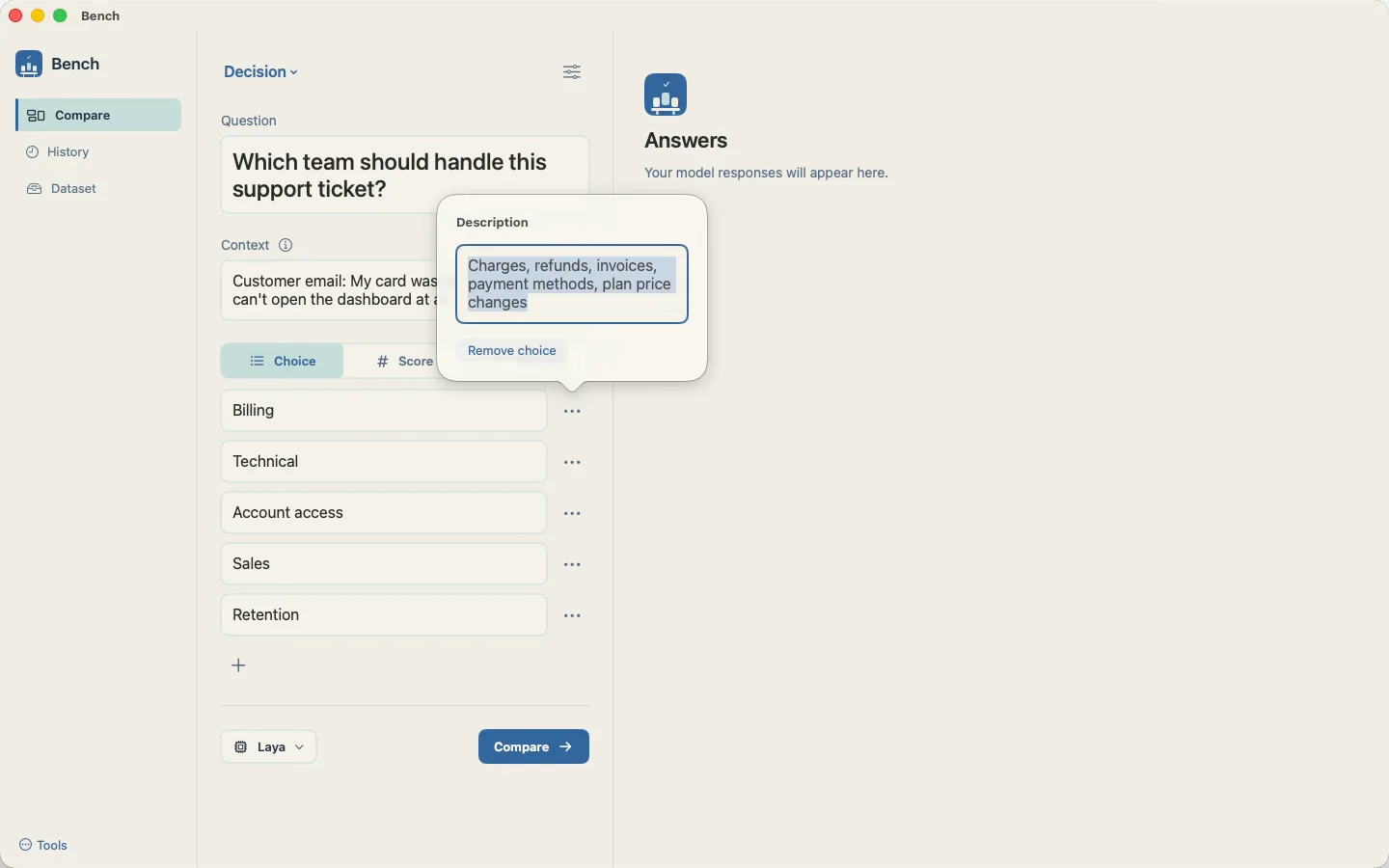
Write the question, add the context and list your choices. Give each choice a short description so every model knows what it covers, then try different prompts and see how each model actually performs.

  • Choice, Score (1–10) and Yes / No questions
  • A description for every choice
  • Correctness, latency, tokens and cost per model and category
Describing the Billing choice in Bench so every model knows what it covers

Batch runs

Run a whole batch of questions against shared context

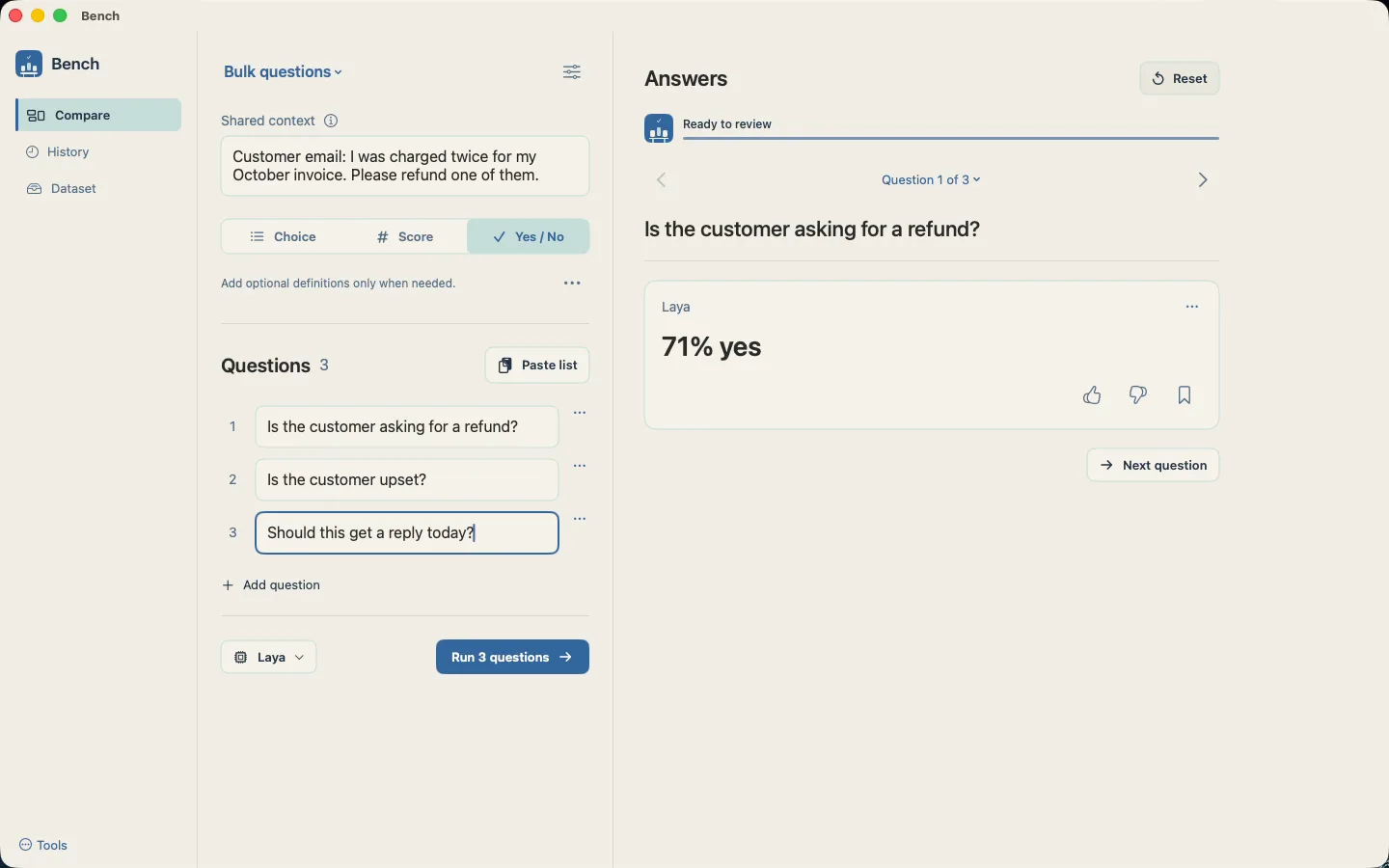
Paste a list of questions, give them one shared context and run them in one go. Then step through the answers question by question and mark them as you go.

  • Paste a list instead of typing one by one
  • One shared context, definitions only when needed
  • Review each question’s answers in turn
A batch of three yes/no questions run against one customer email in Bench, with Laya answering 71% yes

History

Every comparison and batch, kept in History

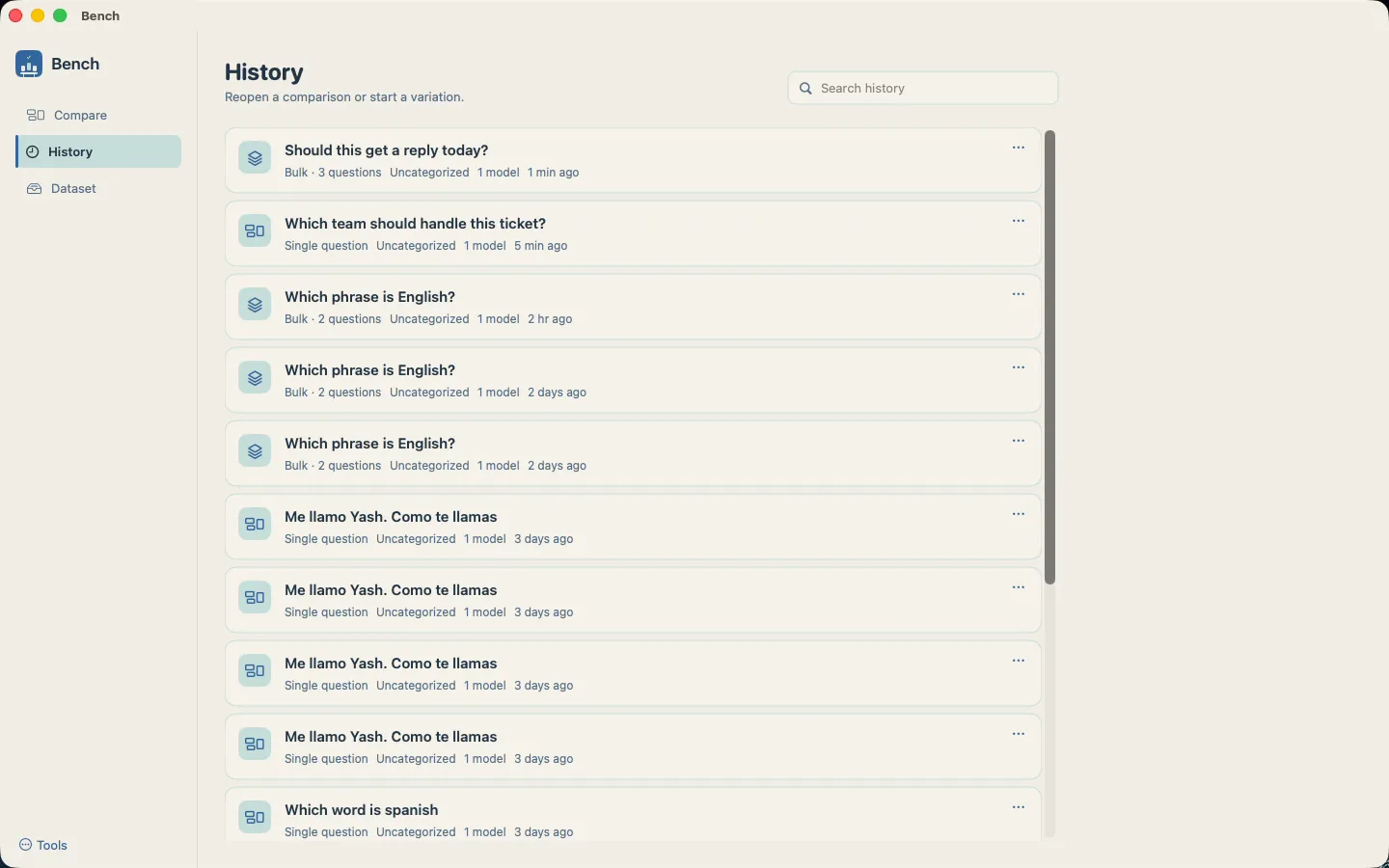
Single questions and bulk runs all land in History. Search it, reopen a comparison, or start a variation from it.

  • Search past runs
  • Reopen a comparison
  • Start a variation from any run
Bench History listing past single-question comparisons and bulk runs

Dataset

Build a fine-tuning dataset from the answers you approve

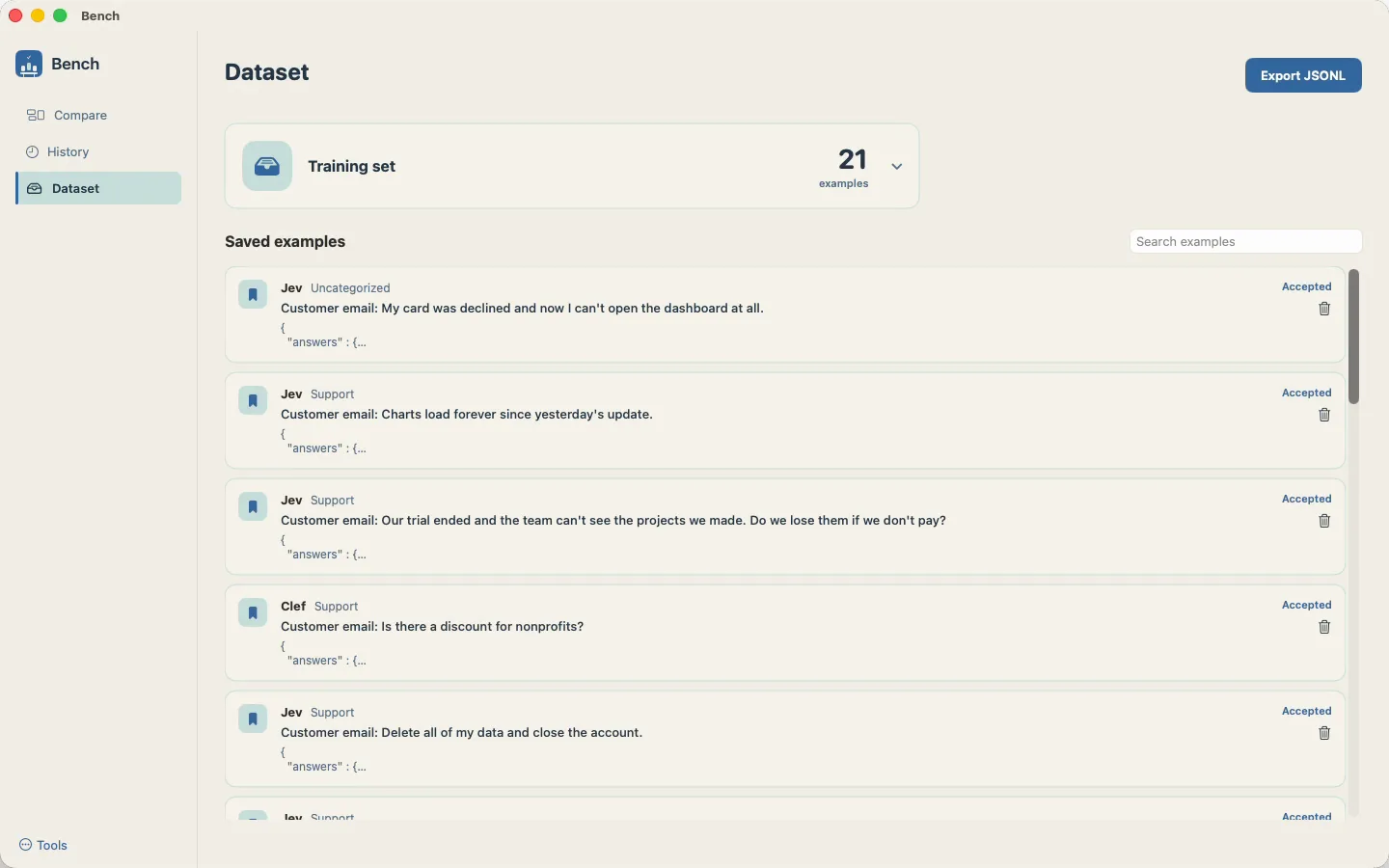
Decision models are zero-shot, and fine-tuning needs a good dataset. Bench makes building it part of the review: approve the right answer, save it, and it joins your training set. Laya, the open-source alternative to Jev, only needs roughly 200 to 1,000 samples to fine-tune properly.

  • Approve and save answers as you review
  • Search your saved examples
  • Export the training set as JSONL
The Bench training set of 21 approved examples, ready to export as JSONL

The router

Compare Jev, Laya, Clef and more in one place

A decision router sends each question to the right model. Version 1.0 is optimized for decision models, because that is where much of the momentum is right now. Further improvements for generation models are coming soon.

Decision models

  • Jev
  • Laya, local or hosted
  • Clef & Clef Flash
  • OpenAI Decisions
  • Your own custom endpoint

Generation models

  • Direct providers: OpenAI, Anthropic, Amazon Bedrock
  • OpenAI-compatible servers
  • Local CLIs such as Claude Code and Codex

Local REST API

Run evaluations from your own pipeline

Bench also serves a REST API on your Mac, so a script can post batches, fetch results, mark answers and save them to the dataset as part of your own pipeline. Requests use the token shown on the Batches screen.

# list the models Bench can reach
curl http://127.0.0.1:47821/v1/models \
  -H "Authorization: Bearer $BENCH_TOKEN"
  • GET/v1/modelsModels you have set up
  • POST/v1/batchesStart a batch
  • GET/v1/batches/{id}Fetch its results
  • POST/v1/answers/{id}/markMark an answer
  • POST/v1/answers/{id}/datasetSave it to the dataset

The walkthrough

How Bench works, in 60 seconds

Native on your Mac

Built in Swift and SwiftUI. A 2.8 MB download for Apple Silicon and Intel Macs.

Your data stays local

History and datasets live in a local SQLite library on your Mac. Questions go only to the models you pick.

Keys in the Keychain

Provider API keys are stored in the macOS Keychain, not in a plain file.

Questions

What is Bench?

Bench is a native macOS app for evaluating LLMs and decision models. You put one question to several models, compare their answers side by side, mark which ones are right, and turn the approved answers into a dataset for fine-tuning.

Is Bench free?

Yes. Bench is a free download for macOS. You bring your own model access, so any usage of a hosted model is between you and its provider.

Which models can I compare?

Version 1.0 is optimized for decision models: Jev, Laya, Clef and OpenAI Decisions, plus your own custom endpoint. For generation models it supports direct providers, OpenAI-compatible servers and local CLIs, with further improvements coming soon.

How do I compare Jev and Laya on the same question?

Write the question, add the context, list your choices and pick both models, then press Compare. Each answer shows the choice it made, and opening it shows the probability it gave every choice, so you can see where the models agree and how sure each one was.

What kinds of questions can I evaluate?

Decision questions come in three types: Choice (pick one of your options), Score (1 to 10) and Yes / No. You can describe each choice so every model knows what it covers, and run many questions at once against shared context.

How do I build a fine-tuning dataset with Bench?

Review the answers, approve the right ones and save them. They collect in the Dataset view, which exports as JSONL. Laya, for example, only needs roughly 200 to 1,000 samples to fine-tune properly.

Can I run evaluations from a script?

Yes. Bench runs a local REST API on your Mac. Scripts can post batches, fetch results, mark answers and save them to the dataset, authenticated with the token shown on the Batches screen.

Why does macOS warn me the first time I open it?

Bench is not notarized by Apple yet. On first launch, right-click the app and choose Open; after that it opens normally.

Put your next decision on the bench.

Download for Mac

Free · macOS 14+ · Apple Silicon & Intel · Not yet notarized: on first launch, right-click the app and choose Open.