For Claude Code, Codex, Cursor & OpenCode

See what your coding agents are really costing your Mac.

Portée shows the disk and memory every AI coding agent is using, helps you clean up safely, syncs your MCP servers and skills across agents, and finds any past session. A free, native macOS app.

Free · v0.1.0 · 3.4 MB · macOS 12 or later · Apple Silicon

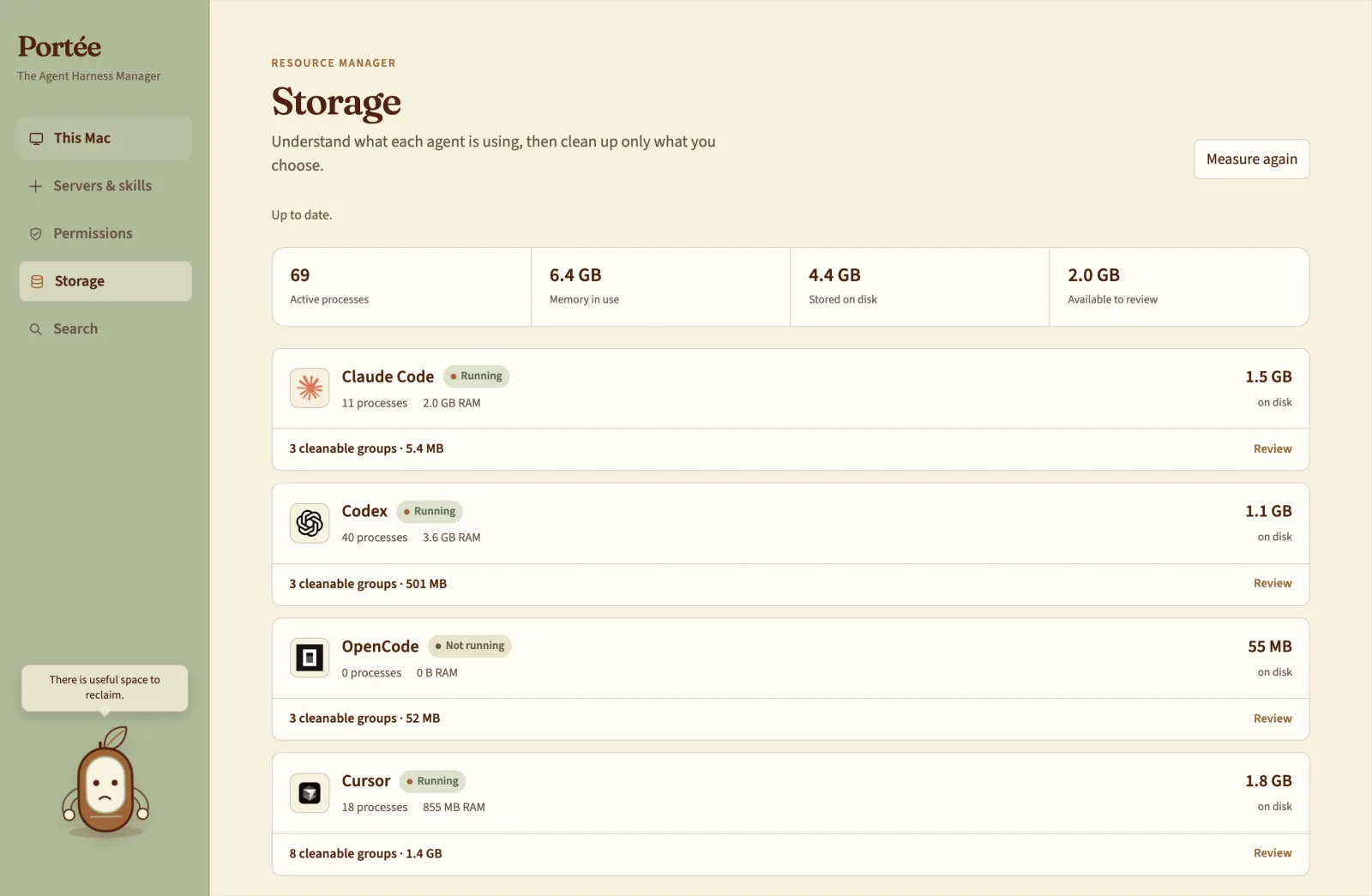
Portée Storage view showing the disk and memory used by each coding agent

The silent cost

Everyone thinks about RAM and GPUs when they think about the cost of AI. The cost to your storage is the one that gets missed, and if you use more than one agent, so does keeping them in sync.

Storage

See what every coding agent is costing your Mac

People watch RAM and GPUs. The silent cost is storage: sessions, caches and app data pile up across every agent. Portée shows, per agent, how many processes are running, how much memory they use and how much disk they hold.

  • Disk, memory and process count for each agent
  • Cleanable groups you review before anything goes
  • Nothing is deleted until you choose
Portée Storage view: RAM, disk use and cleanable groups for Claude Code, Codex, OpenCode and Cursor

Catalog

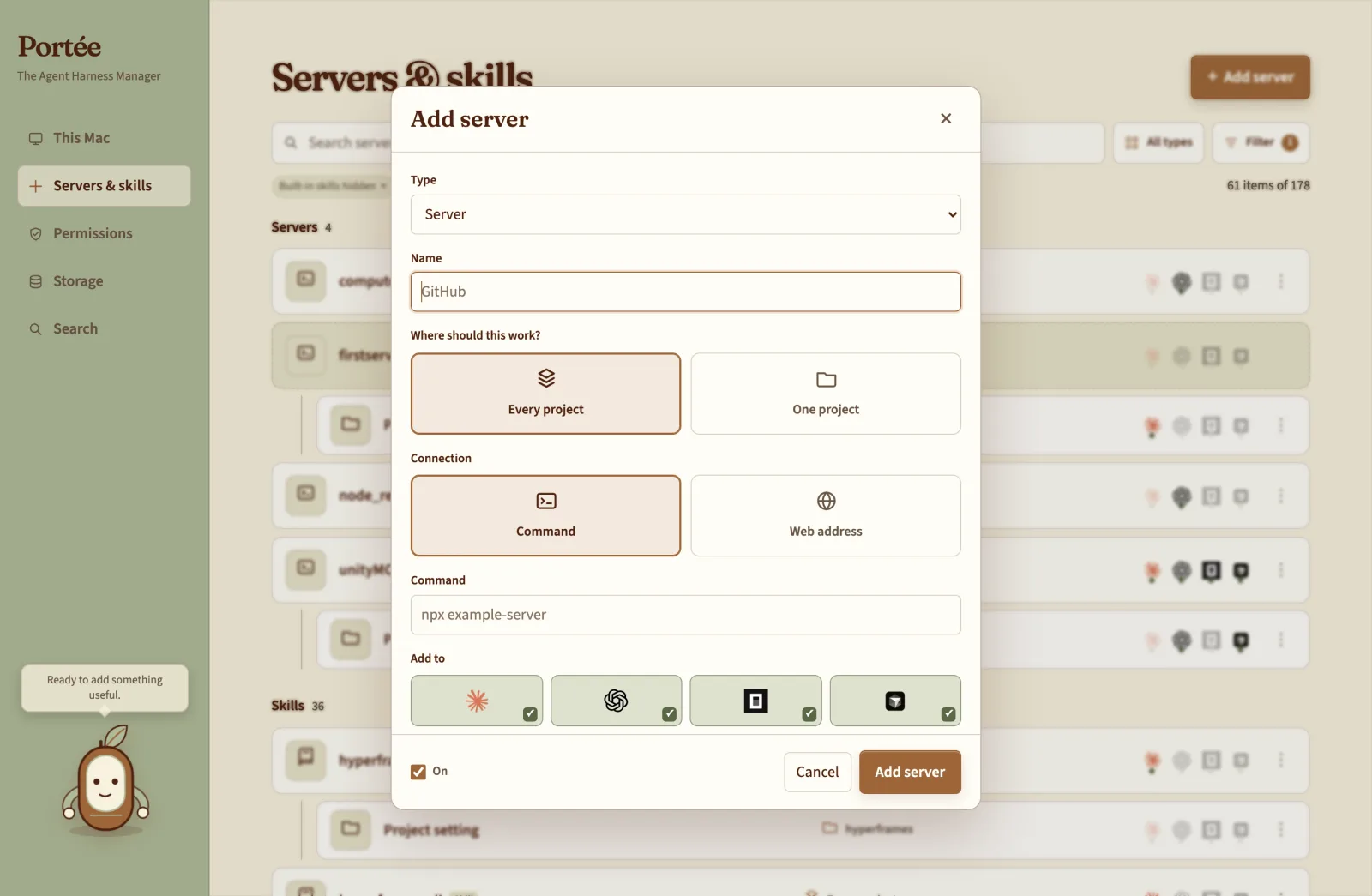
Add an MCP server or skill once. Sync it everywhere.

MCP servers, skills, tools and hooks live in one catalog. Add one and choose which agents get it, instead of repeating the setup in every tool and every project.

  • One catalog for MCP servers, skills, tools and hooks
  • Adopt the configs you already have
  • TOML edited in place: comments and formatting survive
Adding an MCP server once in Portée and choosing which coding agents to sync it to

Sessions

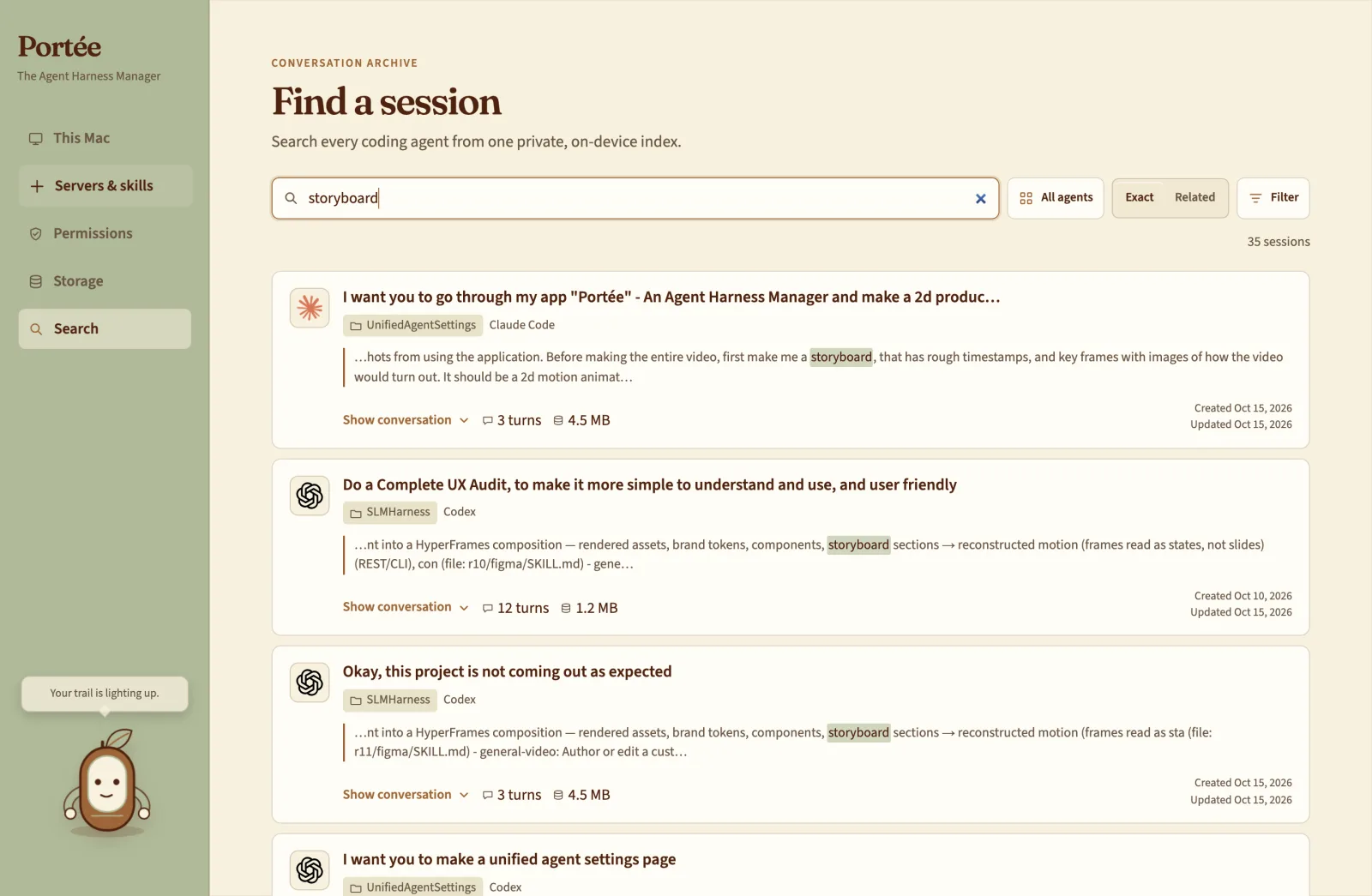
Find any past session, across every agent

Search the sessions of Claude Code, Codex, Cursor and OpenCode by the words you remember, then open the one you need and carry on instead of starting over.

  • One search across all four agents
  • Runs on a local index on your Mac
  • Costs no tokens; nothing leaves your machine
Searching past coding-agent sessions across Claude Code, Codex, Cursor and OpenCode in Portée

Permissions

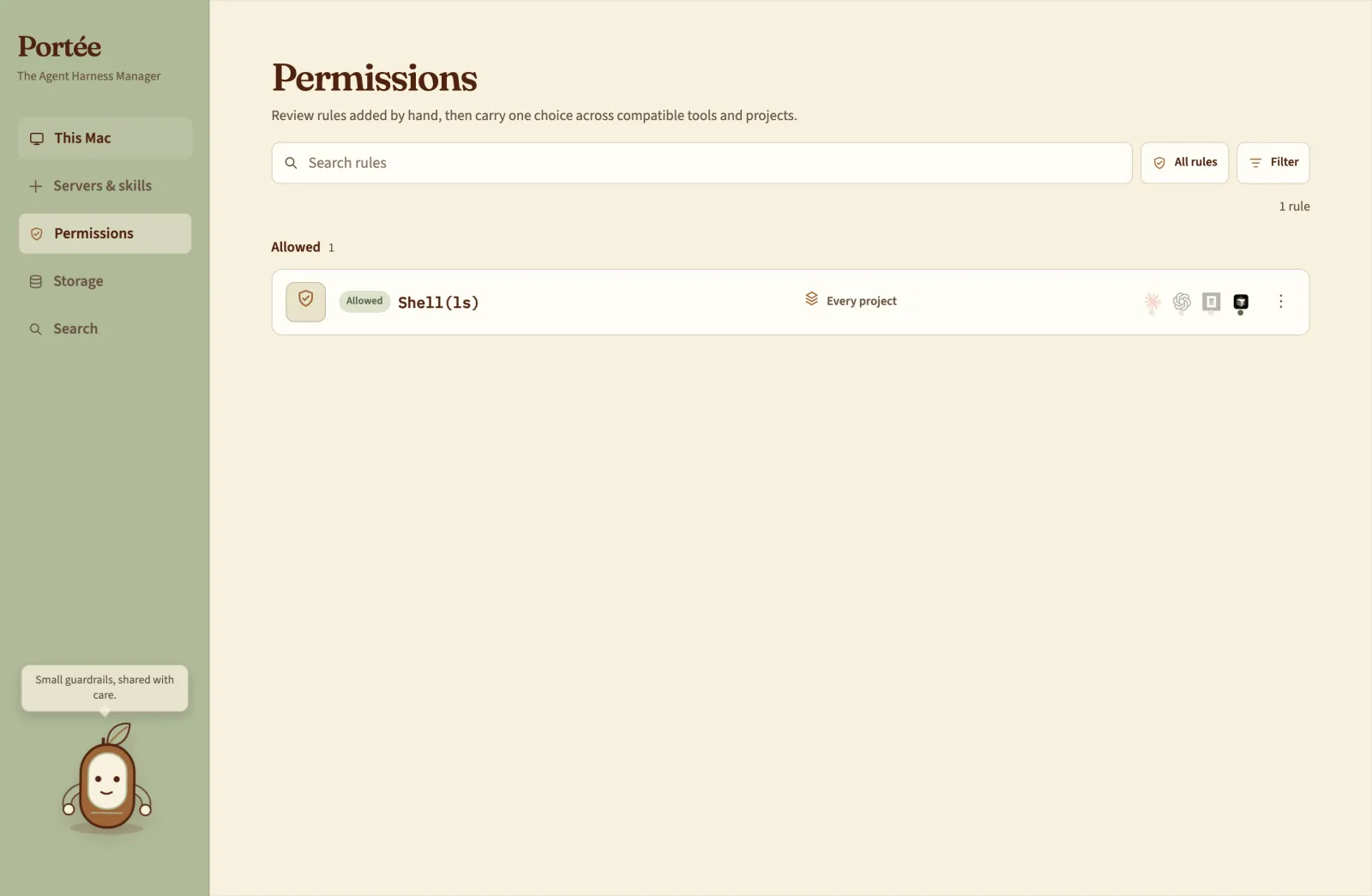
What each agent may do, at a glance

Allowed, ask-first and blocked rules for every agent in one place, kept separate from macOS privacy permissions so neither gets confused for the other.

  • Allow, ask first and block rules side by side
  • Separate from macOS privacy settings
  • A guided flow for Full Disk Access
Portée permission rules for coding agents: allowed, ask first and blocked

This Mac

It finds your agents for you

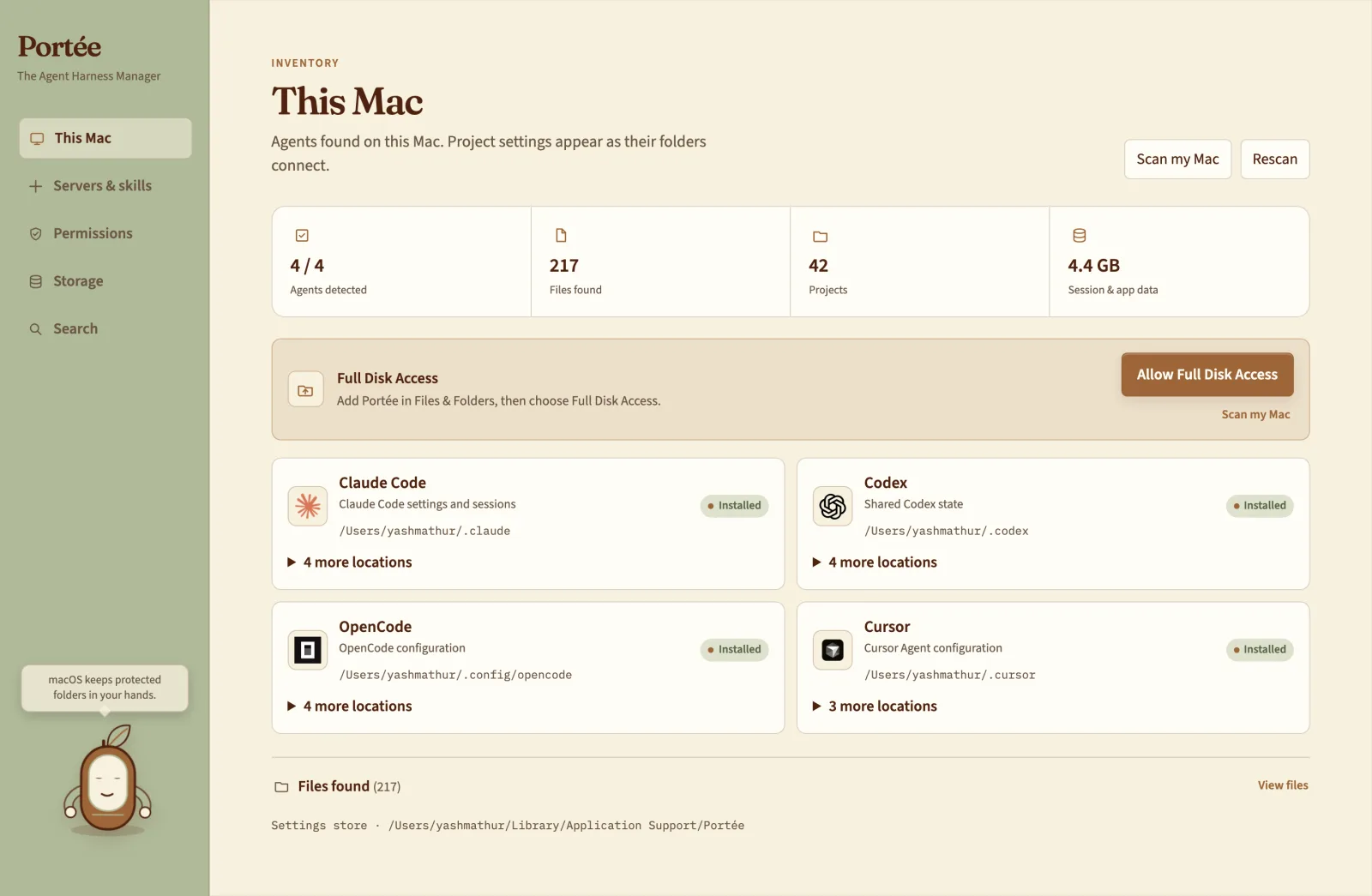
Open Portée and it lists the coding agents installed on your Mac and where each one keeps its data. No setup, no config files to point it at.

Portée's This Mac page listing the detected coding agents and their locations

The film

Portée in 45 seconds

Runs on your Mac

A native app with a local index. No account to create.

You decide what goes

Clean-up is always a review, never an automatic sweep.

No tokens spent

Search and scans never call a model, so they cost nothing.

Questions

Is Portée free?

Yes. Portée is a free download for macOS.

Which coding agents does Portée support?

Claude Code, Codex, Cursor and OpenCode. Portée detects which of them are installed on your Mac and where they keep their data.

How much disk space do Claude Code and other coding agents use?

It depends on how much you use them: sessions, caches and app data pile up over time, often into gigabytes. Portée shows the disk and memory each agent is using right now, so you can see the real number for your Mac.

Will Portée delete anything on its own?

No. The Storage view groups what can be cleaned up for each agent, and nothing is removed until you review it and choose what goes.

How do I use the same MCP servers and skills in every agent?

Add an MCP server, skill, tool or hook to Portée’s catalog once, then choose which agents to sync it to. Existing configs can be adopted into the catalog, and TOML files are edited in place so your comments and formatting survive.

Can I search my old Claude Code and Codex sessions?

Yes. Portée searches past sessions across all four agents by the words you remember, then opens the one you need so you can carry on instead of starting over.

Does session search send my data anywhere or use tokens?

No. Search runs on a local index on your Mac, so it costs no tokens and your sessions never leave your machine.

Why does macOS warn me the first time I open it?

Portée is not yet notarized by Apple. On first launch, right-click the app and choose Open; after that it opens normally.

Take me home?

Give your coding agents one home.

Download for Mac

Free · macOS 12 or later · Apple Silicon · Not yet notarized: on first launch, right-click the app and choose Open.