No Shorts shelf on the YouTube home page
The Shorts shelf that sits between your videos is gone, along with any single Shorts mixed into the home grid. The videos around it close up the gap.
Home & Subscription FeedsFocus > Scroll
ShortsGone is a small Chrome extension with one job. It removes YouTube Shorts from your home feed, sidebar, search results and subscriptions, and stops /shorts/ links from opening. The videos you came for stay exactly where they were.
 ShortsGoneFOCUS > SCROLL
Shorts allowed
Shorts are roaming free. Stay strong!
Tap to block Shorts
I wanted YouTube for the videos I went there to watch. So I built the smallest thing I could that takes Shorts away and leaves everything else alone. No dashboard, no account, no streaks. One switch.
What it removes
Everything is on by default. If you want Shorts back in one place, each area has its own toggle in the popup.
The Shorts shelf that sits between your videos is gone, along with any single Shorts mixed into the home grid. The videos around it close up the gap.
Home & Subscription FeedsThe Shorts entry leaves the navigation sidebar, in both the full and the collapsed version, so there is nothing to click by habit.
Sidebar NavigationSearch for something and you get videos. Shorts that would have shown up in the results are filtered out.
Search ResultsThe channels you follow still show up. Only their Shorts are removed from the subscriptions grid.
Home & Subscription FeedsShorts in the recommendations beside a video are hidden too, so one video does not turn into twenty.
Home & Subscription FeedsOpen a /shorts/ link, or click into one inside YouTube, and you land on a quiet “YouTube Shorts Blocked” page with one button: Return to YouTube.
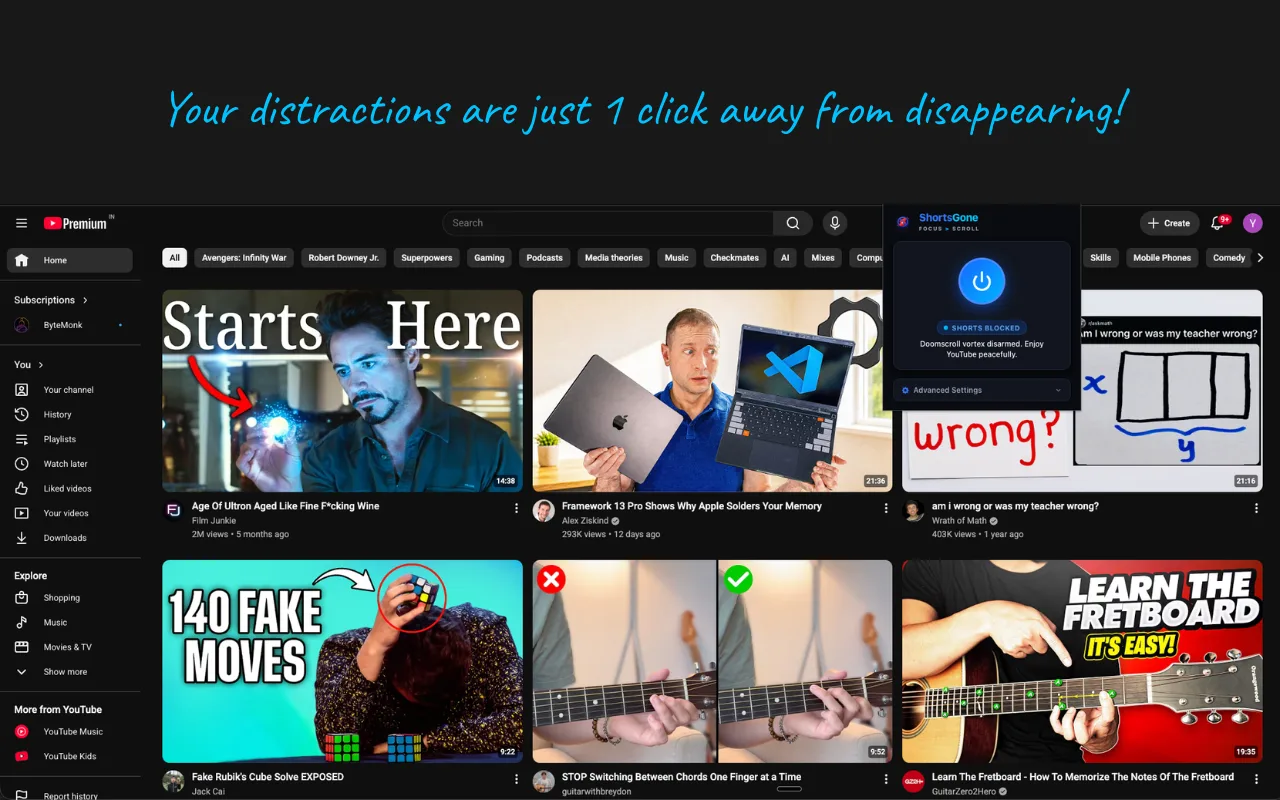
The main switch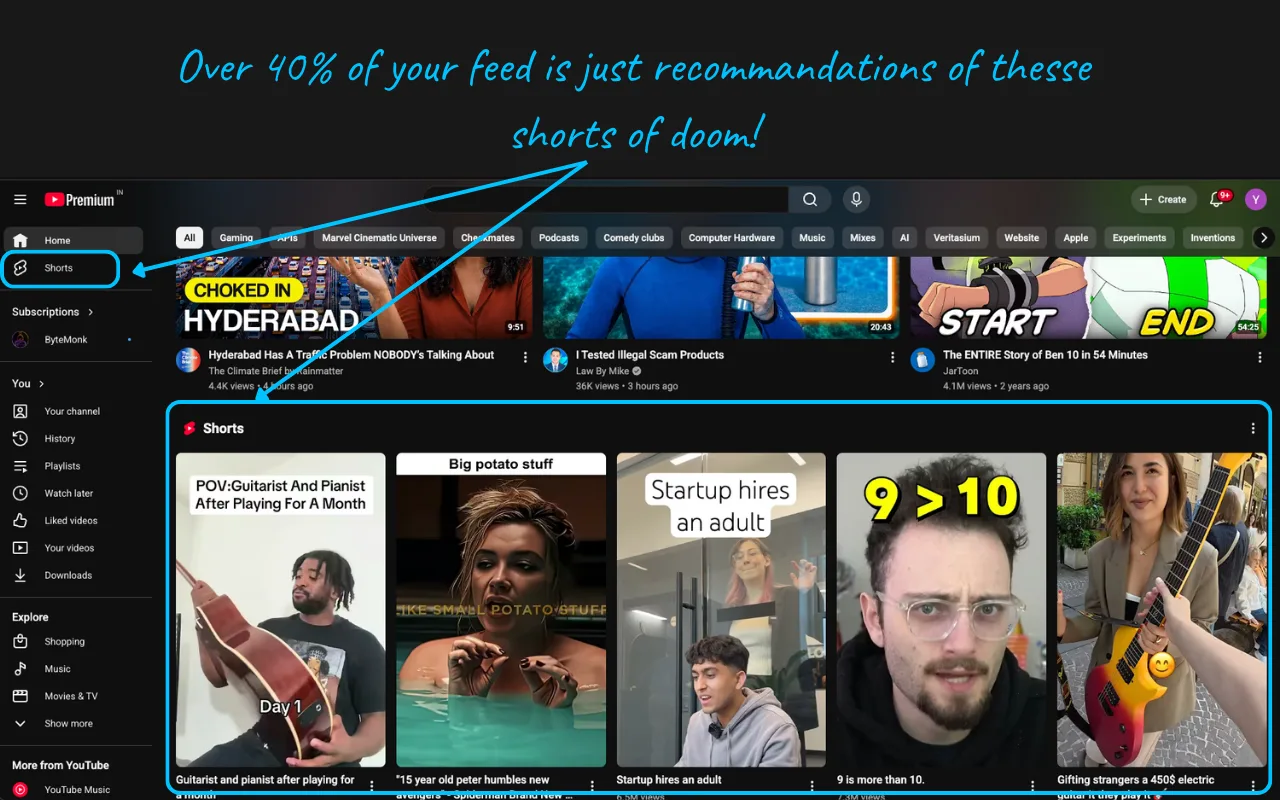
Shorts links
A friend sends you a Shorts link, or you click one inside YouTube. Instead of the endless scroll, you get this page and a way back. Want to watch it anyway? Turn the switch off for a moment.
YouTube Shorts Blocked
ShortsGone blocked this page. Your focus and attention are protected.
Privacy
No analytics, no tracking, no network requests. ShortsGone asks Chrome for three things, and here is what each one is for.
https://www.youtube.com/*The one site ShortsGone can run on. It adds a few hiding rules to YouTube’s pages and nothing anywhere else.
storageRemembers four things: the main switch and the three toggles. They are saved in Chrome on your computer.
webNavigationYouTube changes pages without reloading. This lets ShortsGone notice when that new page is a /shorts/ address and block it.
It is plain JavaScript and CSS, Manifest V3, with no frameworks. The hiding rules go in as the page starts loading, so Shorts never flash on screen first.
Demo
Add ShortsGone from the Chrome Web Store. It is on from the moment it is installed: Shorts leave the home feed, sidebar, search results and subscriptions, and /shorts/ links are blocked. There is nothing to set up.
Yes. ShortsGone is free on the Chrome Web Store. There is no account to create and nothing to upgrade to.
Yes. Open the popup and expand Advanced Settings. There are three toggles: Sidebar Navigation, Home & Subscription Feeds, and Search Results. Turn off any of them and Shorts come back in just that place.
Yes. Click the power button in the popup. The badge switches from Shorts Blocked to Shorts Allowed and Shorts reappear. Click it again to block them.
While blocking is on, any youtube.com/shorts/ address, whether you open it directly or click into it inside YouTube, is replaced by a “YouTube Shorts Blocked” page with a button back to YouTube.
No. ShortsGone adds its hiding rules as the page starts loading, before YouTube draws anything, so Shorts are hidden instead of popping in and then vanishing.
No. Your switch and toggle settings are saved in Chrome’s local extension storage on your computer. There are no analytics, no tracking and no network requests, and the extension only runs on youtube.com.
No. ShortsGone is a Chrome extension, so it works on youtube.com in Chrome on your computer. It cannot change the YouTube app on a phone.