Tambola · Housie · desktop app for your PC

Host Tambola at home, and play along too.

A Java desktop app for Tambola, or Housie: it generates a ticket for every player, calls the numbers from 1 to 90, highlights them on every ticket and spots the winners. Nobody has to sit out to run the game.

Java · Swing · built in 2020 · source code on GitHub

9 of 90

NamePrizeClaimed

No winners yet

Player 1 :: 1

311243250
1633435568
825445787

4 of 15 struck

The problem

Every family Tambola night, one person missed the fun to deal tickets, call numbers and check every “Full house!” by hand.

How a game runs

From names to a full house in five steps

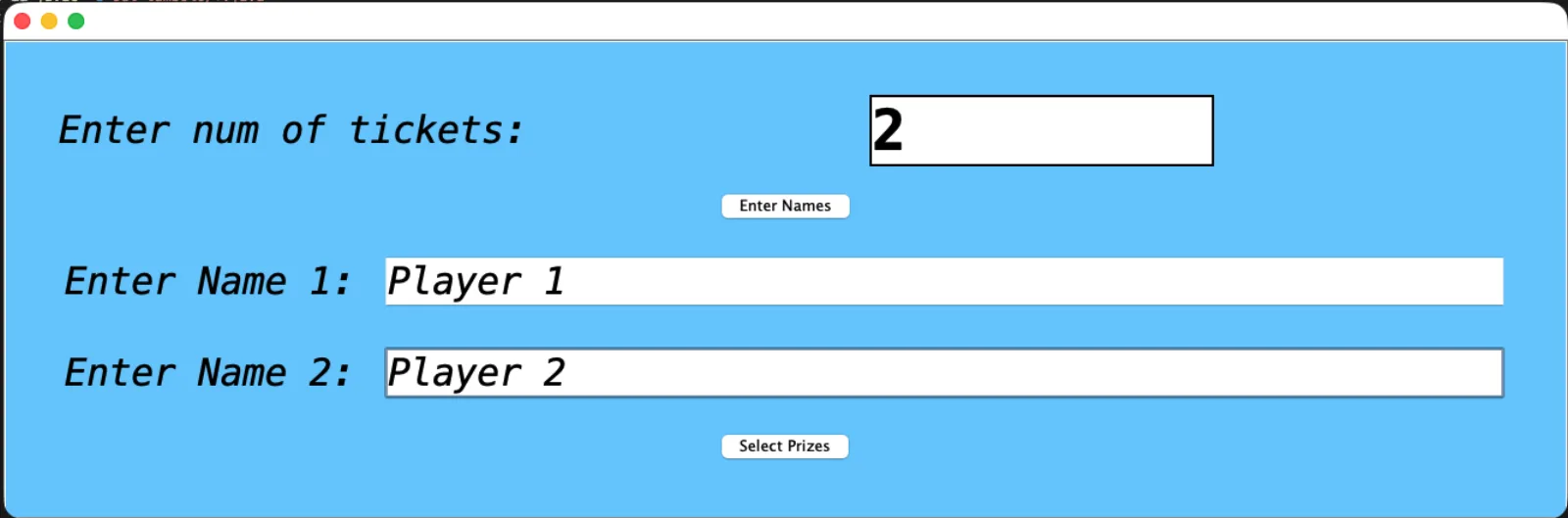
  1. Add your players

    Type how many tickets you need, then a name for each player. Everyone in the family gets a ticket, the host included.

    Tambola app player set-up: number of tickets and a name for each player
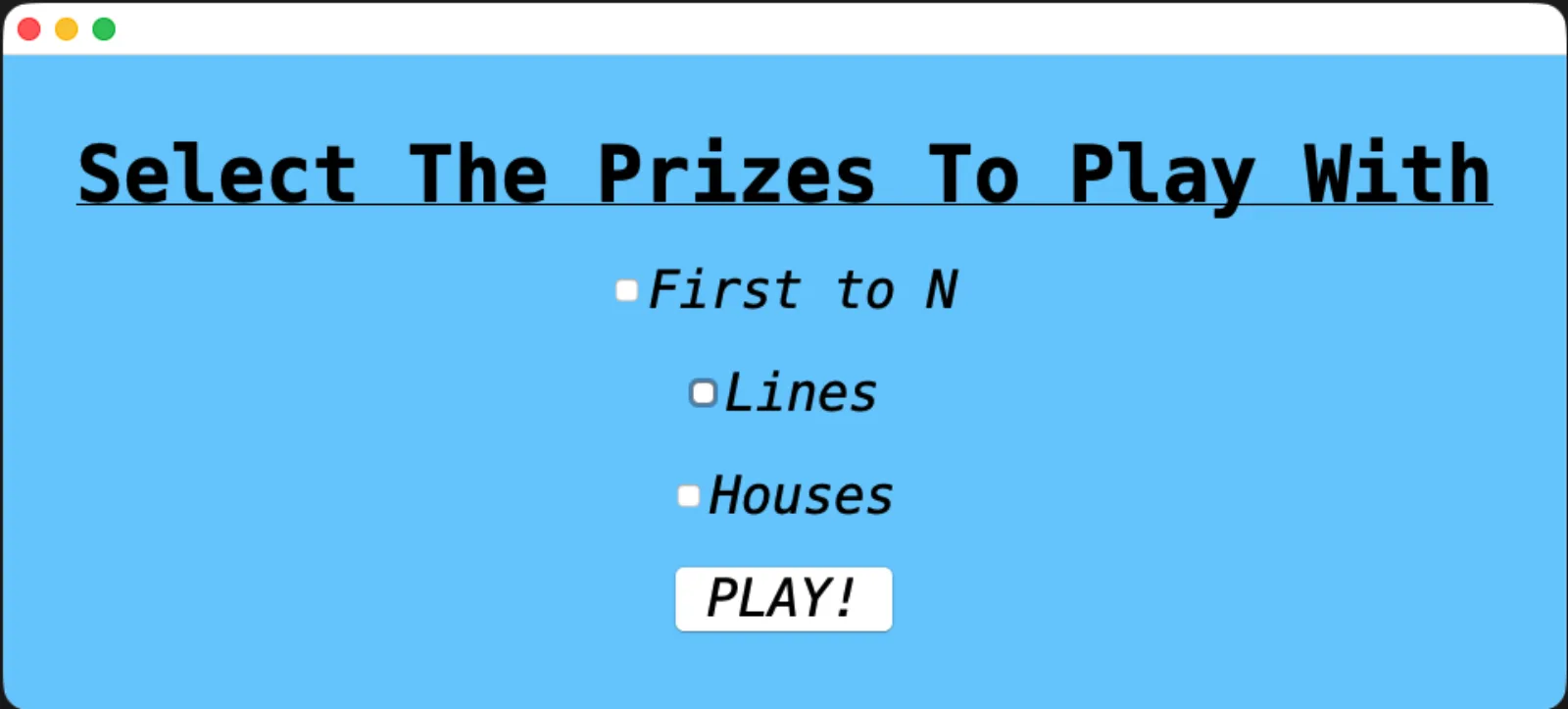
  2. Choose the prizes

    Tick the prizes you want to play for: First to N, Lines and Houses. Set N, how many lines and how many full houses, then press PLAY!

    Tambola prize selection screen with First to N, Lines and Houses
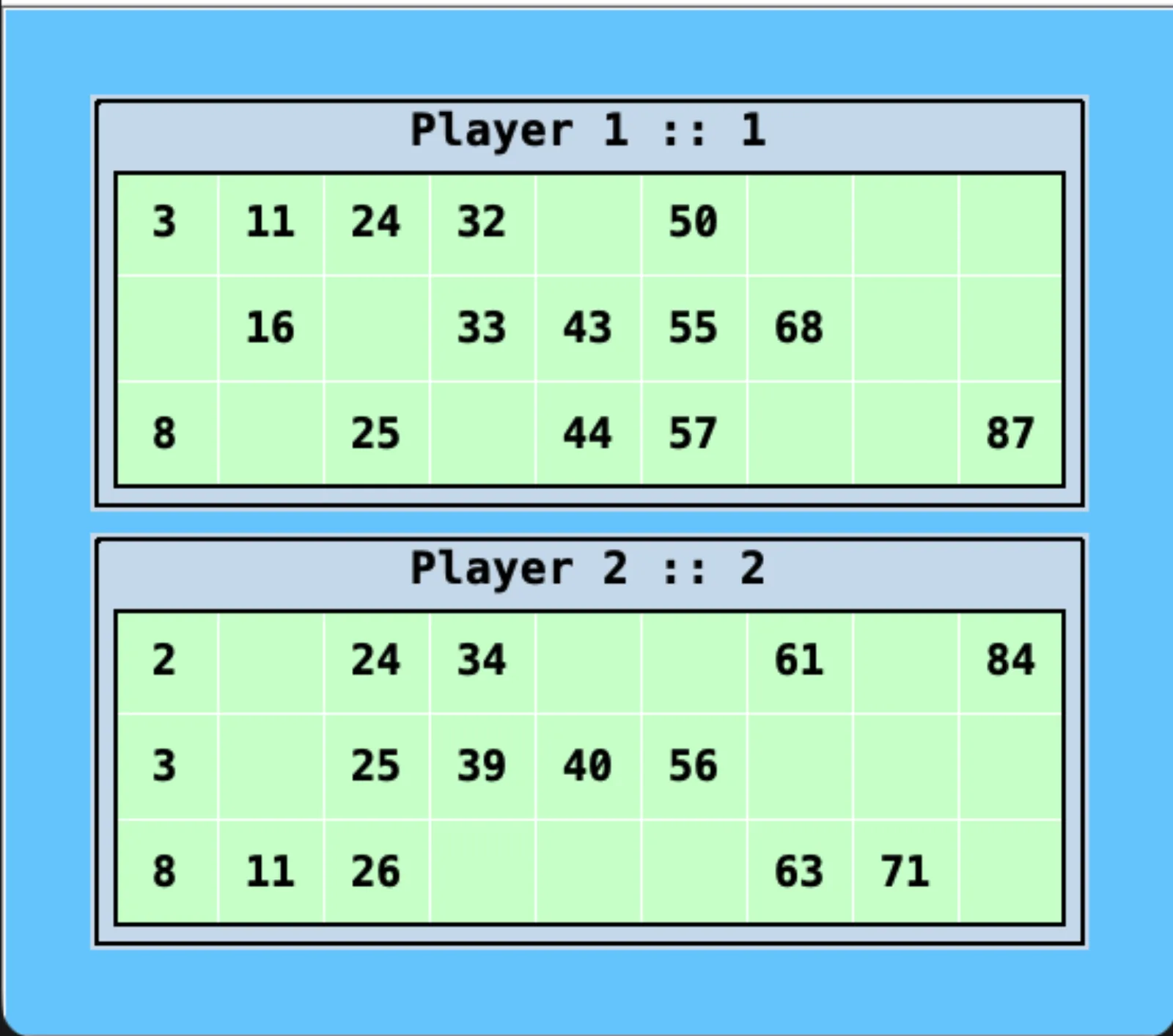
  3. Tickets are generated

    Each player gets a random 3×9 ticket with five numbers on every row, each column in its own range and sorted, just like a printed Housie ticket.

    Two randomly generated Tambola tickets, one for each player
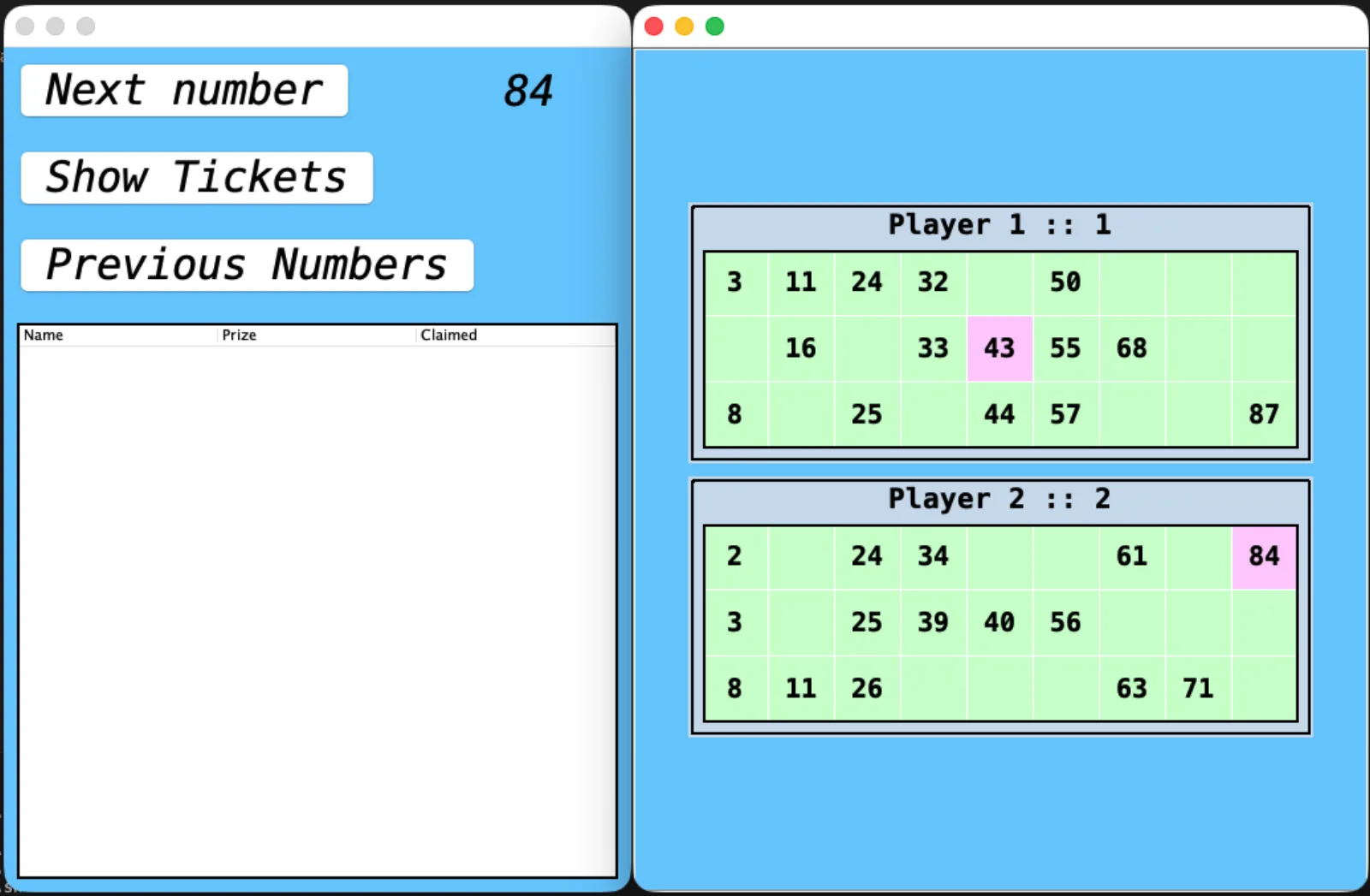
  4. Call numbers, watch tickets light up

    Press “Next number” to draw from 1 to 90 with no repeats. The number turns pink on every ticket that has it, so nobody has to strike anything off by hand.

    Number 84 called and automatically highlighted on Player 2’s ticket
  5. Winners show up on their own

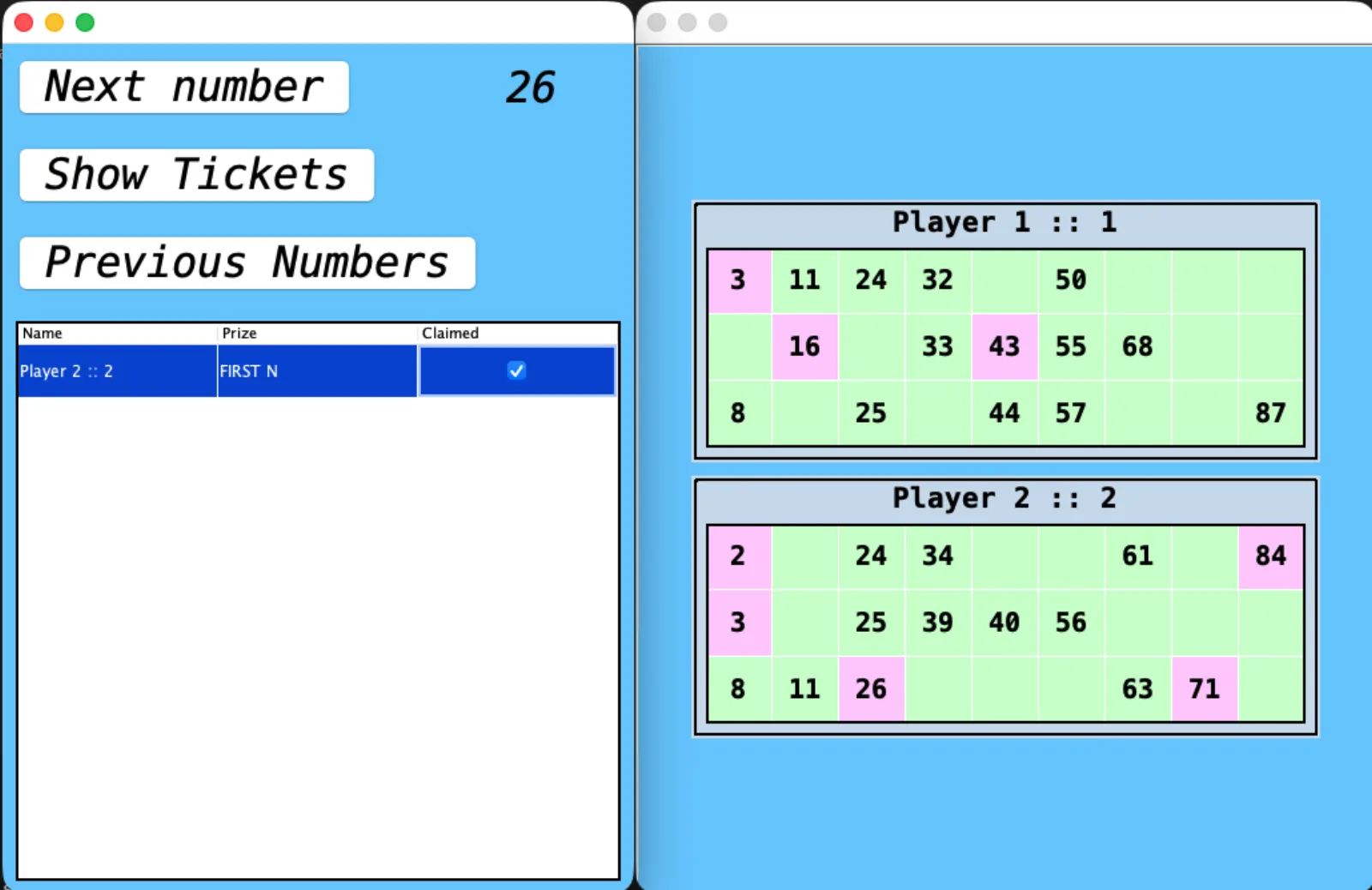
    When a ticket completes a prize, the player and prize appear in the claims table. Tick “Claimed” and the game moves on, no stalling to check tickets.

    Claims table showing Player 2 winning First N, with their ticket highlighted

Proper Housie tickets

3 rows, 9 columns, 15 numbers. Column one holds 1–9, the last holds 80–90, and every column is sorted.

1 to 90, no repeats

The numbers are shuffled when the game starts. “Previous Numbers” shows what has been called so far.

Prizes it checks

First to N, every line and full houses, checked on each ticket the moment a number is called.

Why I built it · 2020

Lockdown game nights, minus the bookkeeping

During the 2020 lockdowns our family game nights moved to Zoom and Google Meet, but one person always had to miss playing to hand out tickets and check them. Every time someone claimed a win the game stalled, because checking was completely manual.

I wanted something simple that automated the boring parts so everyone could play, while keeping all the human, social bits of the game exactly as they were.

It was my first real project, and the UI shows it. I’d design it differently today, but it did its job: nobody had to sit out.
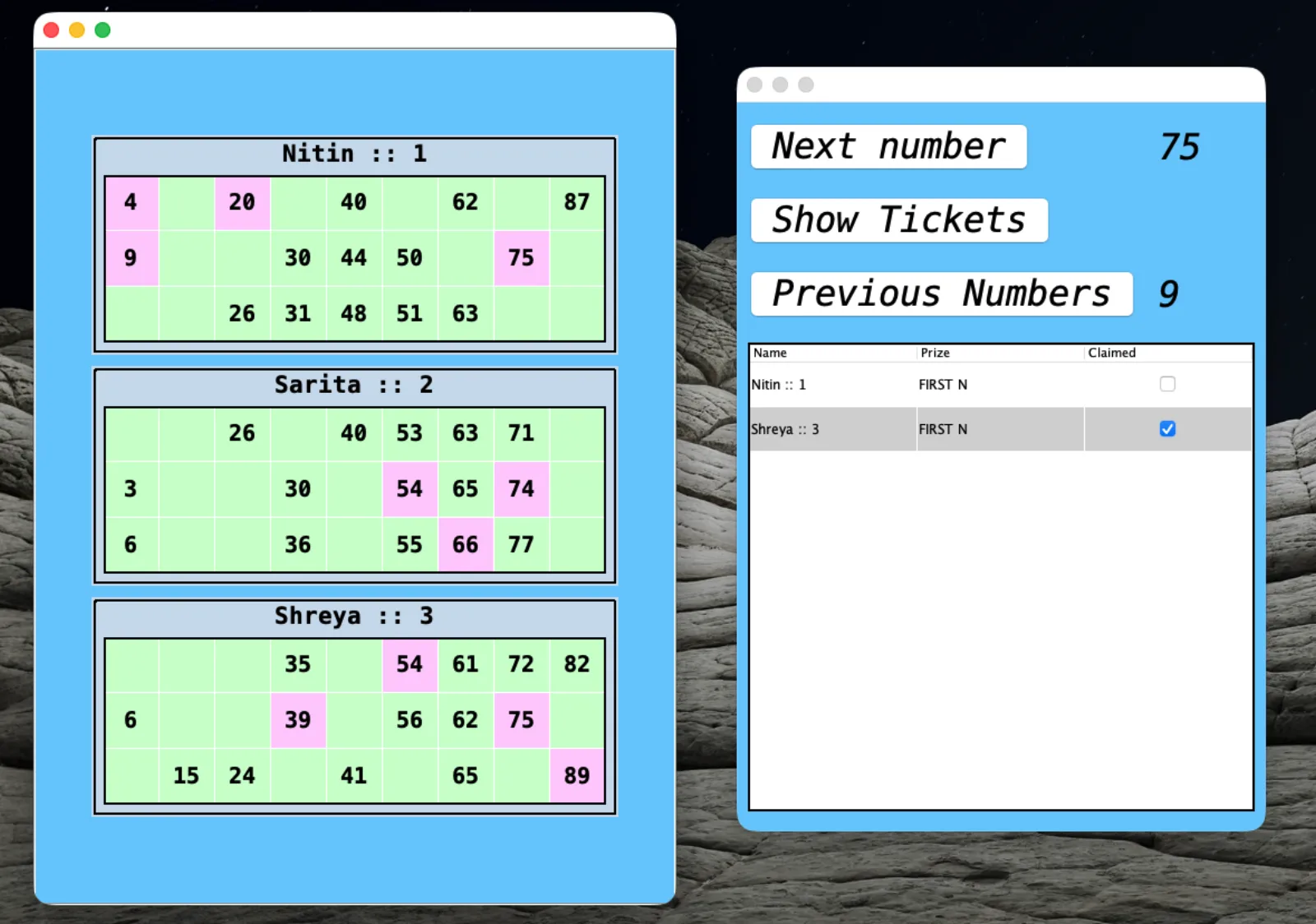
Tambola app mid-game: three players’ tickets with called numbers highlighted, next to the number caller and claims table

Questions

How does the Tambola ticket generator work?

Every player gets their own randomly generated ticket: 3 rows by 9 columns, five numbers in each row, 15 in all. Each column holds its own range (1–9, 10–19 and so on up to 80–90), and the numbers in a column are sorted top to bottom, like a printed Housie ticket.

Does it call the numbers as well?

Yes. The app shuffles 1 to 90 at the start of the game and every press of “Next number” draws the next one, with no repeats. “Previous Numbers” shows what has already been called, and after the 90th number it says “The End”.

Can it check tickets automatically?

Yes. When a number is called it is highlighted on every ticket that has it, and when a ticket completes a prize the app lists the player and the prize in the claims table. Nobody has to check tickets by hand.

Which prizes can I play for?

Before the game you pick from First to N (you set N, for example the first five numbers), Lines (you set how many line prizes) and Houses, the full house (you set how many).

What happens when someone wins?

The winner shows up in the claims table with their prize. Tick “Claimed” and that prize is closed before the next number is drawn. Players still get to shout out their win; the app only removes the arguing over whether it was right.

Can I host Tambola for family over Zoom or Google Meet?

That is exactly what it was built for. During the 2020 lockdowns our family game nights moved to Zoom and Google Meet; one computer runs the app, and because tickets are made and checked for you, the host gets to play too.

How do I run it on my PC?

It is a Java Swing desktop app, and the source code is on GitHub. With a Java JDK installed, run.sh in the src folder compiles and starts it. The repo also has scripts that package it as a macOS .dmg or a Windows .exe with jpackage.

Next game night, let everyone play.

Get it on GitHub

Source code on GitHub · runs with Java